Become a Certified Linux Server Engineer with Learningport Technologies Skills and master Linux server administration, shell scripting, system monitoring, networking, security, and infrastructure automation.
Linux Server Certification Master Program
- Practical Learning
- Learn Industry Skills
- Industry Professional Led Sessions
- Paid Internship
Linux Server Certification Master Program
Become a Certified Linux Server Engineer with Learningport Technologies Skills and master Linux server administration, shell scripting, system monitoring, networking, security, and infrastructure automation.
- Practical Learning
- Learn Industry Skills
- Industry Professional Led Sessions
- Paid Internship
Learners’ Advantages

LMS Portal Access
Access course materials, updates, and resources anytime, anywhere with our lifetime LMS access.

Paid Internship
Every student is offered a paid internship after course completion to build hands-on skills

1:1 Mentorship
Personalized one-on-one mentorship to guide your learning journey and career growth.

Career Guidance
Focused on career direction and growth with mentorship from industry experts throughout your journey.

24*7 Support
Round-the-clock 24/7 support to assist you whenever you need help, anytime anywhere.

Portfolio Building
Build a strong professional portfolio with real-time projects to showcase your expertise.

Interactive Live Training
Engage in real-time learning with interactive live classes led by experienced professionals.

Practical Assignments
Apply your learning through regular hands-on assignments based on real-world use cases.
Linux Server Course Curriculum
Module 1: Introduction to Linux
- Overview of Linux operating system
- History and distributions of Linux
- Linux architecture and components
- Linux file system structure
- Logging in and using the command line
- Introduction to Linux server environments
Module 2: Linux Commands and Shell Basics
- Basic Linux commands (ls, cd, pwd, etc.)
- File and directory management
- Using pipes and redirection
- Searching and filtering files (grep, find, etc.)
- Command-line shortcuts and history
- Introduction to shell scripting
Module 3: Linux File System & Permissions
- Understanding Linux file hierarchy
- File types and attributes
- Managing permissions and ownership
- Using chmod, chown, and chgrp commands
- Creating symbolic and hard links
- Disk usage and quotas
Module 4: Linux User and Group Management
Creating and managing users
Group creation and management
Understanding /etc/passwd and /etc/group
Managing user passwords and policies
Switching users and sudo management
Best practices for user security
Module 6: Linux Networking
- Understanding package managers (APT, YUM)
- Installing, updating, and removing packages
- Managing repositories
- Checking package dependencies
- Compiling software from source
- Best practices for package management
Module 6: Infrastructure as Code (IaC) with AWS CloudFormation
- Network configuration and management
- IP addressing and subnetting
- Configuring network interfaces
- Managing DNS and routing
- Using networking tools (ping, netstat, ifconfig, etc.)
- Troubleshooting network issues
Module 7: Linux Services & Daemons
- Understanding system services and daemons
- Managing services with systemctl and service commands
- Configuring startup services
- Monitoring running processes
- Logging system activities
- Scheduling tasks with cron and at
Module 8: Configuration Management with Ansible & AWS
- Linux security fundamentals
- Configuring firewalls using iptables and firewalld
- Managing SELinux and AppArmor
- Implementing SSH security
- User and permission best practices
- Monitoring and auditing security logs
Module 9: Linux Storage Management
- Managing disks and partitions
- Creating and mounting file systems
- Logical Volume Management (LVM)
- RAID configuration
- Disk backup and recovery
- Monitoring disk usage
Module 10: Linux Server Administration & Projects
- Installing and configuring Linux servers
- Web server setup (Apache/Nginx)
- Database server configuration (MySQL/PostgreSQL)
- Automating server tasks with scripts
- Performance monitoring and tuning
- Real-world server deployment projects
Let Us Worry About Your Job While You Focus On Your Skills
- Live Doubt Clearing Sessions
- Weekly Group/Individual Projects
- 1:1 Mentorship
- Monthly Webinars with Industry Leaders
Build a Job-worthy Project-Portfolio
Gain hands-on experience with cutting-edge cloud services that will equip you with the essential skills needed to thrive in a cloud computing career
Learner Benefits

World-Class Pedagogy
World-class pedagogy combines innovative teaching methods, practical learning, and global best practices to ensure students gain in-depth knowledge, critical thinking skills, and real-world expertise for career excellence.

4.9/5 Rating

Practical Learning
24*7 Support

1:1 Mentorship

1000+ Career Transition

100+ Hiring Patners

Career Assistance

Personalized Guidance
World-Class Pedagogy
World-class pedagogy combines innovative teaching methods, practical learning, and global best practices to ensure students gain in-depth knowledge, critical thinking skills, and real-world expertise for career excellence.
4.9/5 Rating
Practical Learning
24*7 Support
1:1 Mentorship
1000+ Career Transition
100+ Hiring Patners
Career Assistance
Personalized Guidance
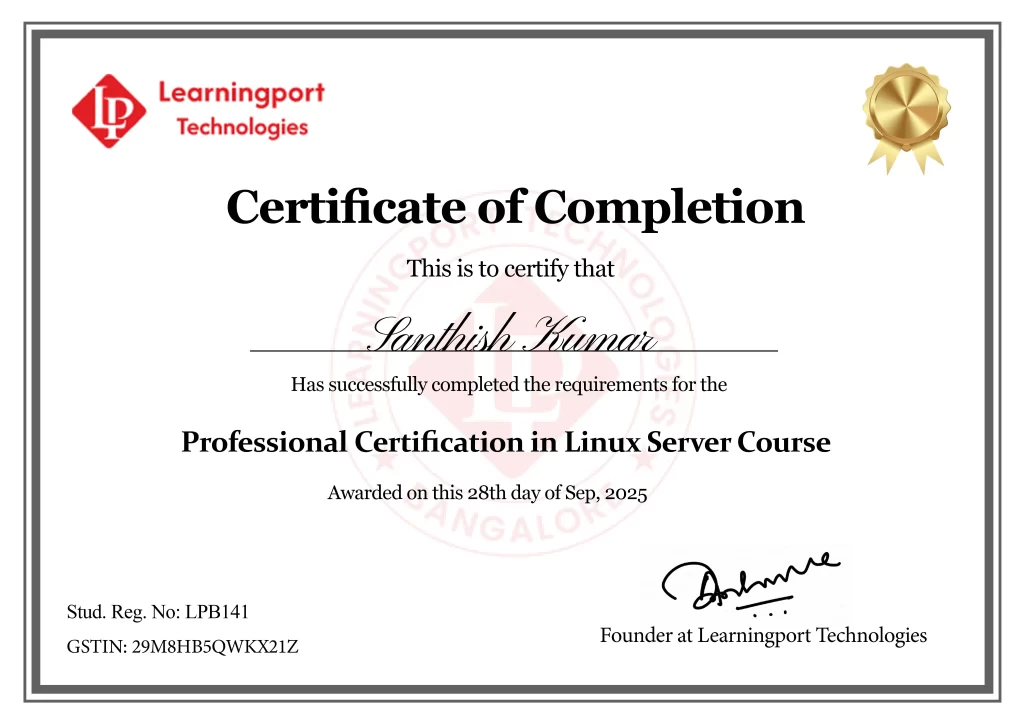
Get Professional Certificate
Upskill Your Knowledge To Change Your Career Trajectory
- Gain official proof of your expertise from a trusted institution, increasing your value in the eyes of employers and clients.
- Stand out in competitive job markets and unlock better job roles, promotions, or freelance opportunities.
- Certifications ensure your skills are aligned with current industry standards, making you job-ready from day one.
- Completing a certified course strengthens your belief in your capabilities and readiness to tackle real-world challenges.
- Join a professional community, gain access to hiring managers, and receive support from placement partners and mentors.
Get in touch
Our programs combine real-world projects, expert mentorship, and globally recognized certifications. empowering you to launch and grow your career in the cloud and beyond
Land Your Dream Job Like Our Alumni


FAQ's On This Course
A Linux server is a computer running the Linux operating system designed to provide services, host applications, manage networks, or store data for users. It offers stability, security, and flexibility for enterprise and personal server deployments.
Linux Server training is ideal for system administrators, developers, IT professionals, network engineers, and anyone managing servers. It helps learners gain practical skills in deployment, configuration, and maintenance of Linux-based environments
The Linux file system is a hierarchical structure managing files and directories. It includes directories like /home, /etc, /var, /usr, and supports permissions, links, and storage management, essential for secure and organized server operation.
Software installation uses package managers like APT, YUM, or DNF. You can install, update, or remove packages from repositories or compile from source, ensuring software compatibility, security, and proper dependency management on the server.
Linux networking involves configuring IP addresses, interfaces, routing, DNS, and network services. Tools like ifconfig, netstat, ping, and ip are used to monitor and troubleshoot connectivity, ensuring secure and reliable communication for server operations.
Security is maintained using firewalls (iptables/firewalld), SSH key management, SELinux/AppArmor policies, user permissions, and system updates. Regular monitoring and auditing protect servers from unauthorized access, malware, and other vulnerabilities.
Monitoring involves checking CPU, memory, disk, and network usage. Tools like top, htop, vmstat, sar, and system logs help administrators identify bottlenecks, prevent downtime, and optimize server performance.
RAID (Redundant Array of Independent Disks) combines multiple disks for redundancy or performance. Linux supports RAID levels (0, 1, 5, 10) to improve fault tolerance, storage reliability, and server uptime.
We offer both online live classes and offline classroom sessions.
Yes, our placement team assists with resume building, interviews, and connecting students to IT companies.
Yes, students receive study materials, assignments, and project-based exercises.
IT professionals, developers, sysadmins, cloud engineers, and anyone interested in mastering automation, CI/CD, and cloud deployment using AWS.
Apache and Nginx are web servers. They host websites, serve HTTP/HTTPS traffic, handle load balancing, and integrate with Linux servers for secure and high-performance web application deployment.
Linux servers host databases like MySQL, PostgreSQL, and MariaDB. Administrators install, configure, secure, backup, and optimize databases to ensure reliable data storage, accessibility, and performance for applications
What Our Learners Have To Say
EXCELLENT Based on 202 reviews
 Posted on Google
 hari prasadBest place to learn cloud,I done window VMware and AzurePosted on Google
 Shivananda BhavikattiWorking at LearningPort Technology has been a great experience. The company offers a supportive work environment, good learning opportunities, and a team that is always helpful and cooperative. I’ve been able to improve my skills, gain real project experience, and grow professionally. The management is approachable, and the overall work culture is positive and motivating. I’m proud to be a part of LearningPort Technology and would definitely recommend it to others.Posted on Google
 Amu RajaI'm incredibly impressed with expert trainers, great materials and hands-on practice with Windows, VMware and Azure where mentor assisting me to crack an interview as well. Highly recommend for practical cloud training..Posted on Google
 MD YaseenWindows server training, practical, real-time learning and good trainer support company's commitment to helping students secure placements.Posted on Google
 Noor AhamedExcellentPosted on Google
 Ashraf_ Ayodhi.Best' traning institute i learn MCSA and VMware Good mentor and friendly naturePosted on Google
 Rohit MunavalliLearningPort’s corporate trainer made complex topics simple with real-life examples. The sessions were interactive, and I gained confidence to apply the skills in my current job. Highly recommend for working professionals!